Bug Report Helper #
When you find a bug in AAO: Avatar Optimizer, we appreciate it if you could report it to us.
To help us understand and fix the bug, information about your avatar and environment is useful.
To help you provide such information, AAO: Avatar Optimizer includes a Bug Report Helper window, which collects information about your avatar and environment into a report file.
Please note that the tool does not collect all information but only general basic information about your avatar,
to prevent license violations and privacy issues.
Therefore, you may be asked to provide more information about avatar.
How to use #
If you have configured any settings to work around a bug (such as disabling Features in Trace and Optimize), please revert those settings before generating the report file.
Having workaround settings enabled may make it difficult to identify the root cause of the problem.
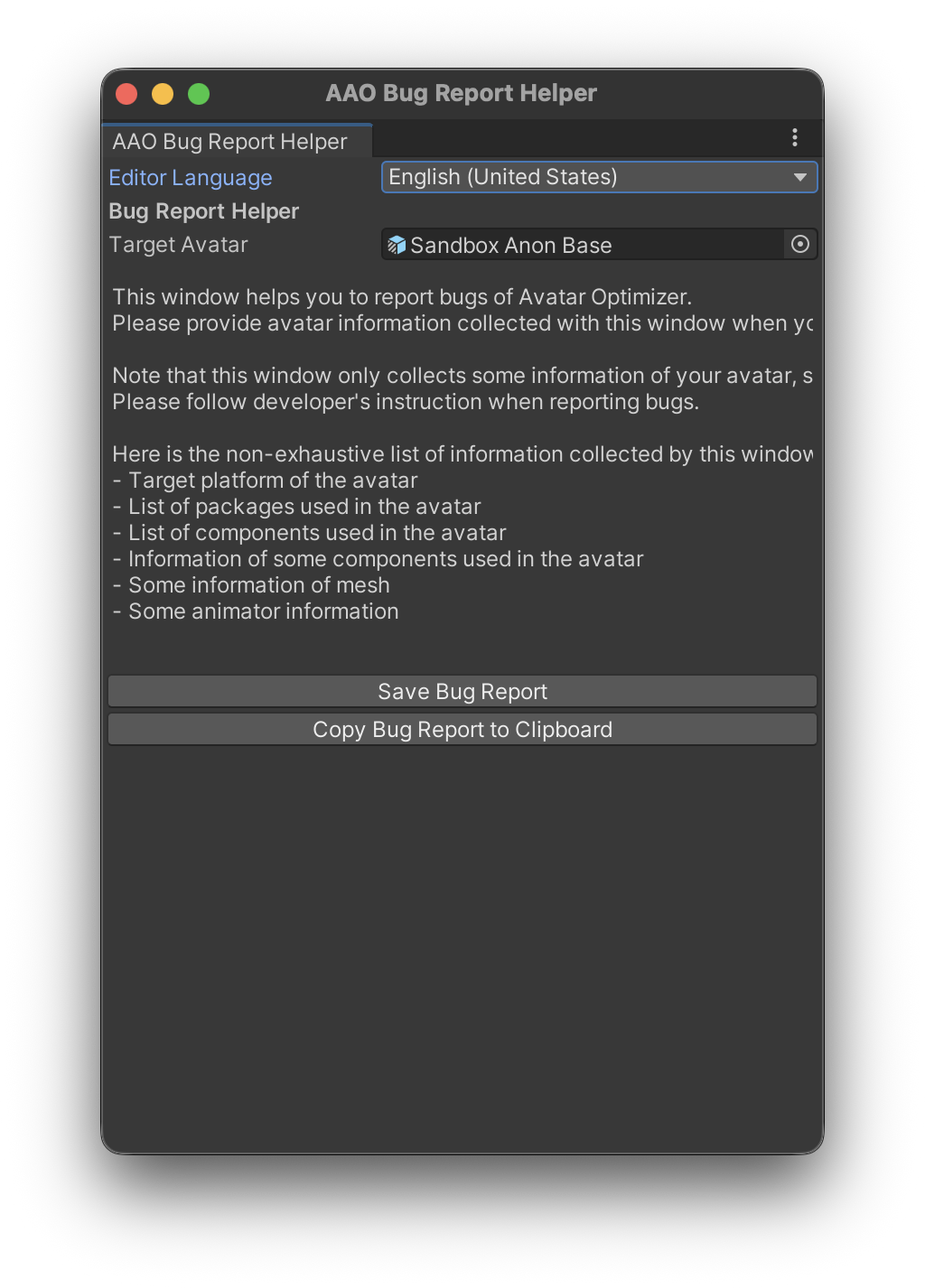
The Bug Report Helper window can be opened from Tools > Avatar Optimizer > Bug Report Helper menu.
At the top of the window, there is a field to specify the avatar to report the bug. Please set the avatar that bug of AAO is related to.
At the bottom of the window, there are two buttons: Save Bug Report Copy Bug Report to Clipboard.
If you’re in Play Mode (Top ▶ button is blue), those buttons will be disabled.
Please exit Play Mode (click Top ▶ button to turn it gray) before using the Bug Report Helper.
Clicking Save Bug Report will open a file save dialog to save the bug report as a compressed (gz) file.
This is the recommended way to submit bug reports as it’s efficient.
Clicking Copy Bug Report to Clipboard will copy the bug report text to your clipboard.
Please note that the text may be too large for some applications to paste.
Whichever button you use, you can create a report file with the same content.
To generate a report file, Avatar Optimizer will build the avatar once.
When you provide a bug report to us, please attach the file or upload to some file sharing service and share the link.
Report Contents #
The bug report contains the following information (non-exhaustive):
- Avatar information
- Avatar name
- Avatar Unity version
- List of GameObjects and Components
- Configuration of some components, including some Mesh information
- Environment information
- Unity version
- Operating System
- Avatar Optimizer version
- Other installed VPM package versions
- Build information
- Logs from the build process, including warnings and errors
Other contents #
There is viewer for the generated report file here.